Orchestra
Browser automation, conducted

You conduct.It plays.

Orchestra turns repetitive browser work into a score you arrange by hand — every step visible, every line of Playwright yours to keep.

40+
instruments
100%
your code
0
lock-in
The Orchestra app: a visual flow of Navigate, Extract and Output steps driving a live web page, with the scraped result in the console.
The programme

Three movements, one performance.

I.

Visual instruments

40+ action types — navigate, extract, assert, loop, branch, transform. You build automation like a score: one readable step after another. No boilerplate, no selectors to memorize.

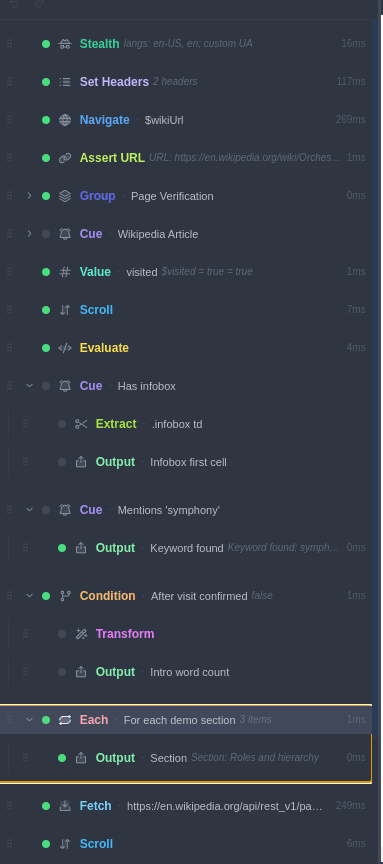
An Orchestra flow with Stealth, Set Headers, Navigate, Assert URL, groups, cues, conditions and loops — each step showing its live run time.
A real flow — every step timed and traced as it runs.
II.

Your code, always

Every visual step compiles to real, runnable Playwright. Read it, edit it, export it, run it anywhere Node runs — no runtime, no account, no lock-in. This page verifies the generated script with node --check.

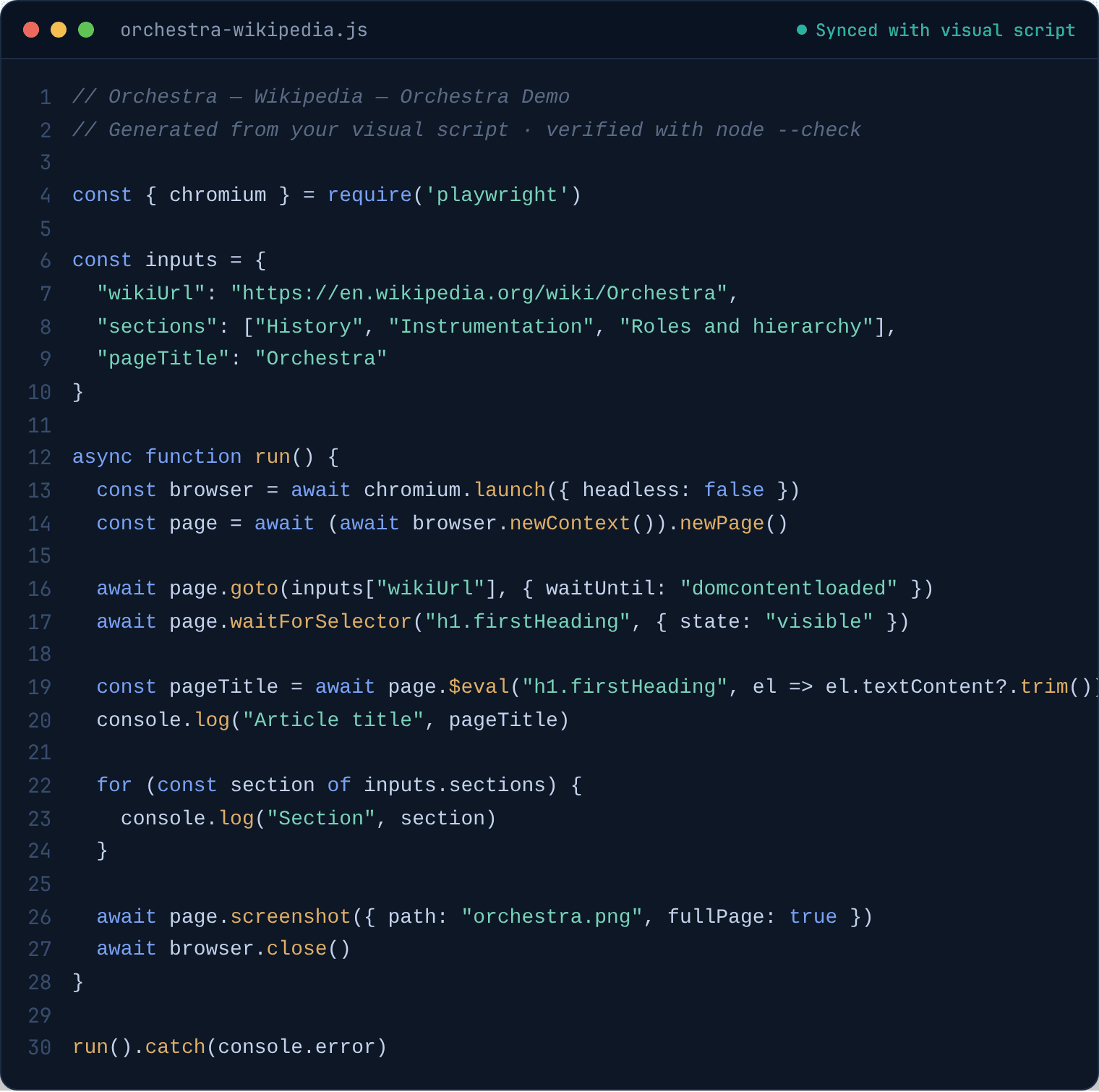
The generated Playwright code: a require, an inputs object with the real Wikipedia URL and sections, and an async run() that navigates, asserts, extracts and screenshots.
Generated Playwright, synced live with the visual script.
III.

Cue

A Cue watches the page and fires the instant its condition is met — cookie banners, infoboxes, late-loading content, session prompts. It handles the unexpected without breaking the flow you built.

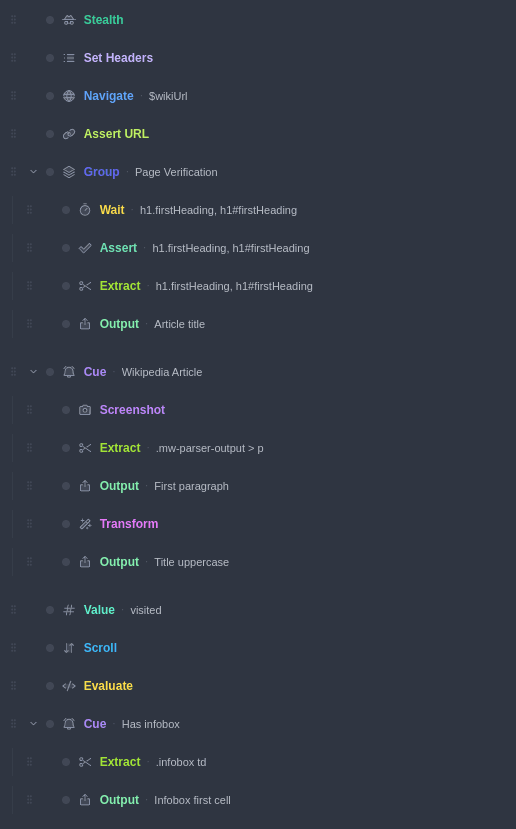
The same flow with two Cue blocks — "Wikipedia Article" and "Has infobox" — each wrapping their own steps.
Cues wrap steps that fire only when the page is ready.
Canvas → code

Drawn here. Runs there.

The flow you build on the left compiles, step for step, into the Playwright script on the right — inputs, cues, loops and all. It's plain Node.js: export it and run it in CI, a cron job, or a teammate's machine. No runtime, no account, no lock-in.

The visual flow tree in Orchestra, with cues, groups, and steps.

Visual script

The Playwright code generated from the visual script — verified valid with node --check.

Generated Playwright

Nothing hidden

See every value,every step.

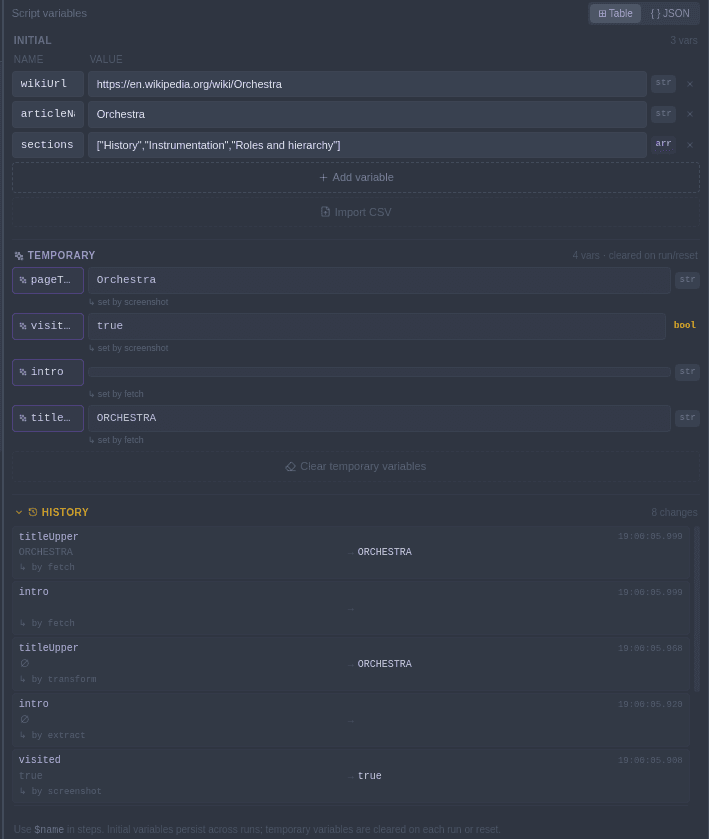
Orchestra tracks each variable as the run unfolds — where it came from, which step set it, what it became. When something breaks, you don't guess. You look.

  • Live variable timeline & provenance
  • Per-step input / output inspector
  • Auto-snapshot on failure
Orchestra's Variables panel: initial inputs, temporary variables tagged with the step that set them, and a timestamped change history.
Initial inputs, temporary values, and a full change history — each tagged with the step that set it.

Download.
Free beta.

Download now

Free during the beta — claim your license now and it stays free for you, forever.

Need it built for you?

I take on a small number of automation projects — from simple login flows to complex multi-step workflows. Built with Orchestra, delivered as code you own.

Get in touch →
Get in touch

Start a conversation.

Whether it's a question about the beta or a project you'd like built — drop a note.