Code
Code view & export
Live Playwright code, round-trip editing and standalone exports.
Every flow is a Playwright script — the visual editor and the code are two views of the same thing. You can watch the code update as you build, edit it directly, load your edits back into the visual flow, and export the result to run anywhere Node.js runs.
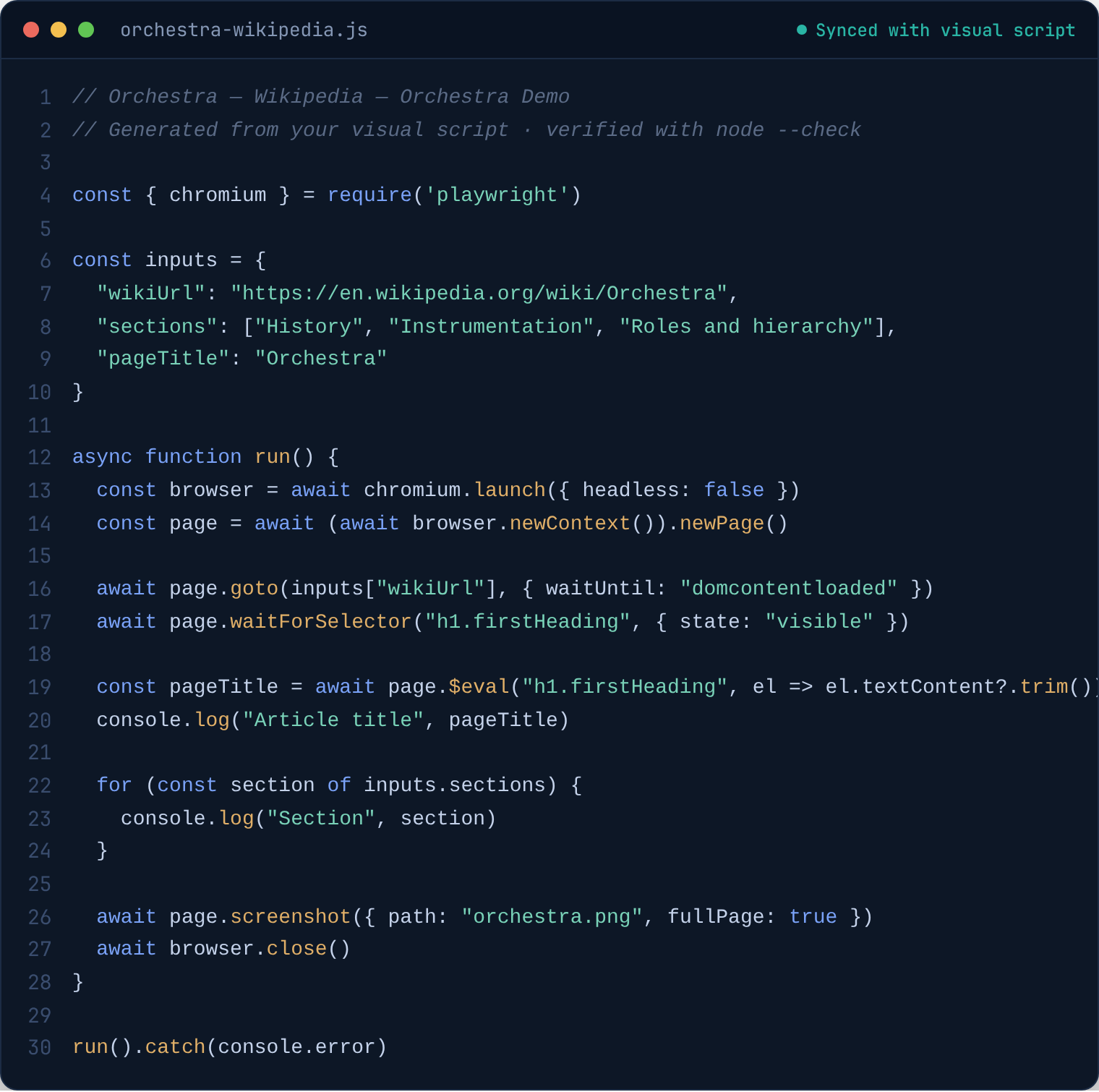
The code window#
Code in the toolbar opens a full editor (Monaco, with Playwright type definitions, so you get real autocomplete on page.). It shows the complete generated script for the active workspace and regenerates live as you change the flow — the status bar reads Synced with visual script.
Edit the code and the sync pauses (Unsaved changes). From there:
- ▶ Run — runs your edited code against the embedded browser, without touching the flow.
- ⬆ Load visual — parses the script and loads it back as the visual flow. This is the round trip: generate, hand-edit, re-import. If a construct can't be parsed it reports a parse error and leaves your flow alone.
- ↓ Save — writes the code to a
.jsfile (Ctrl/Cmd+S works too). - ↺ Reset — discards edits and re-syncs with the visual flow.
Per-step code#
The config panel shows the generated code for the selected step, editable in place. Editing detaches the step: it keeps its position in the flow but runs your custom code instead of its visual config (marked with an amber outline). Reset re-attaches it. Detached code runs with full Node.js access, like a Script step — which is why the import safety scan flags it.
Exporting#
Two export buttons in the toolbar, next to the CJS/ESM format toggle:
- Script — a single standalone
.jsfile, in CommonJS or ES module style per the toggle. - Project — a folder with
run.jsand apackage.json, ready tonpm install && node run.js(projects always use CommonJS).
Run an exported script with Node.js 18+ and Playwright installed:
npm install playwright
node my-flow.js
The script is self-contained: your variables are embedded as an inputs object at the top (edit them there per run), it launches a visible Chromium, and it needs nothing from Orchestra. It's yours — check it into a repo, run it on a schedule, hand it to someone who has never seen the app.
What changes outside the app#
- Cues compile to a background polling loop (checked every 150 ms and between steps) with the same fire limits, cooldowns and failure handling as in the app.
- A few instruments only take effect in exported scripts — Dialog Handler and Intercept register handlers on the Playwright context that the embedded browser doesn't apply. Their reference pages (Browser, Network) spell this out.
- File paths: relative output paths resolve against the directory you run the script from, not
~/Documents/Orchestra/.