Building flows
Cues & snippets
Background watchers that handle popups, and reusable blocks of steps.
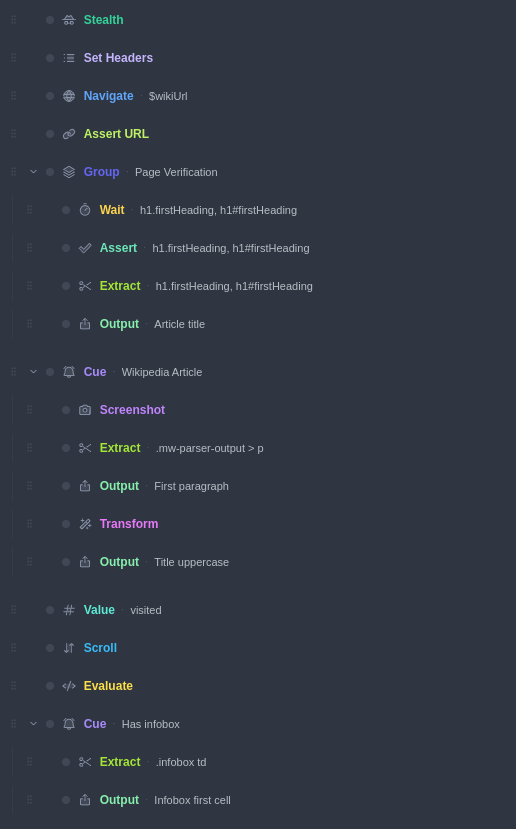
Some things won't wait their turn: cookie banners, chat popups, login walls, surprise error pages. A Cue is a container that watches for a condition in the background while your flow runs, and the moment the condition becomes true, its child steps fire — then the main flow carries on from where it was.
Building a cue#
Add a Cue from the Flow category and drop the handling steps inside it — for a cookie banner, typically a single Click on the accept button. Then configure the trigger:
| Trigger | Fires when… |
|---|---|
| Selector exists | a CSS selector matches at least one element |
| Element visible | the matched element is actually displayed |
| URL matches | the page URL matches a regex |
| URL changed | the URL transitions to one matching the regex (or any URL if blank) — once per change |
| Page contains text | specific text appears anywhere on the page |
| Network response | a request to a matching URL completes (optionally only on given status codes, e.g. 401,403,500-599) |
| Page / console error | a JS error or console.error matches the pattern |
Max times to fire defaults to 1. Set it to 0 for unlimited — right for banners that reappear.
After firing decides where the flow goes next: Resume (default) returns to where it was interrupted; Continue abandons the current position and skips ahead to the steps after the cue.
Timing#
The cue's condition is polled on a background loop (roughly every 150 ms) while the flow runs, so it can fire in the middle of a slow step — even while a navigation or a long wait is still in flight. If firing mid-step could corrupt what the step is doing, enable Only fire between steps to defer it until the current step completes.
Reliability options#
For long-running or unattended flows, the advanced options keep a misbehaving cue from taking the run down:
- Cooldown — minimum ms between consecutive fires (default 500), preventing tight re-fire loops.
- Fire timeout — maximum ms the cue's steps may run before the fire is aborted (default 30000).
- Disable after N failures — a circuit breaker: stop watching after this many consecutive failed fires (default 3).
- Verify resolution — after firing, re-check the condition; if it's still true, count the fire as a failure.
Cue fires are recorded in the flow panel, so after a run you can see what fired and when. In exported scripts, cues become a polling loop with the same semantics.
Snippets#
A snippet is a named, reusable block of steps. Build one in the Snippets tab of the flow panel, then drop a Snippet step (Flow category) anywhere a flow should run it — the same block can appear in several places, or several workspaces' flows within the same file. Edit the snippet once and every use picks up the change; snippets are expanded into their steps when you run or export.
A good pattern: keep a "login" snippet and a cookie-banner cue at the top of every flow that touches the same site.